
Settings
Three steps and your emails go out through Lettermint:
- Go to Settings → Email.
- Set Transport Type to Lettermint.
- Fill in the settings below and save.
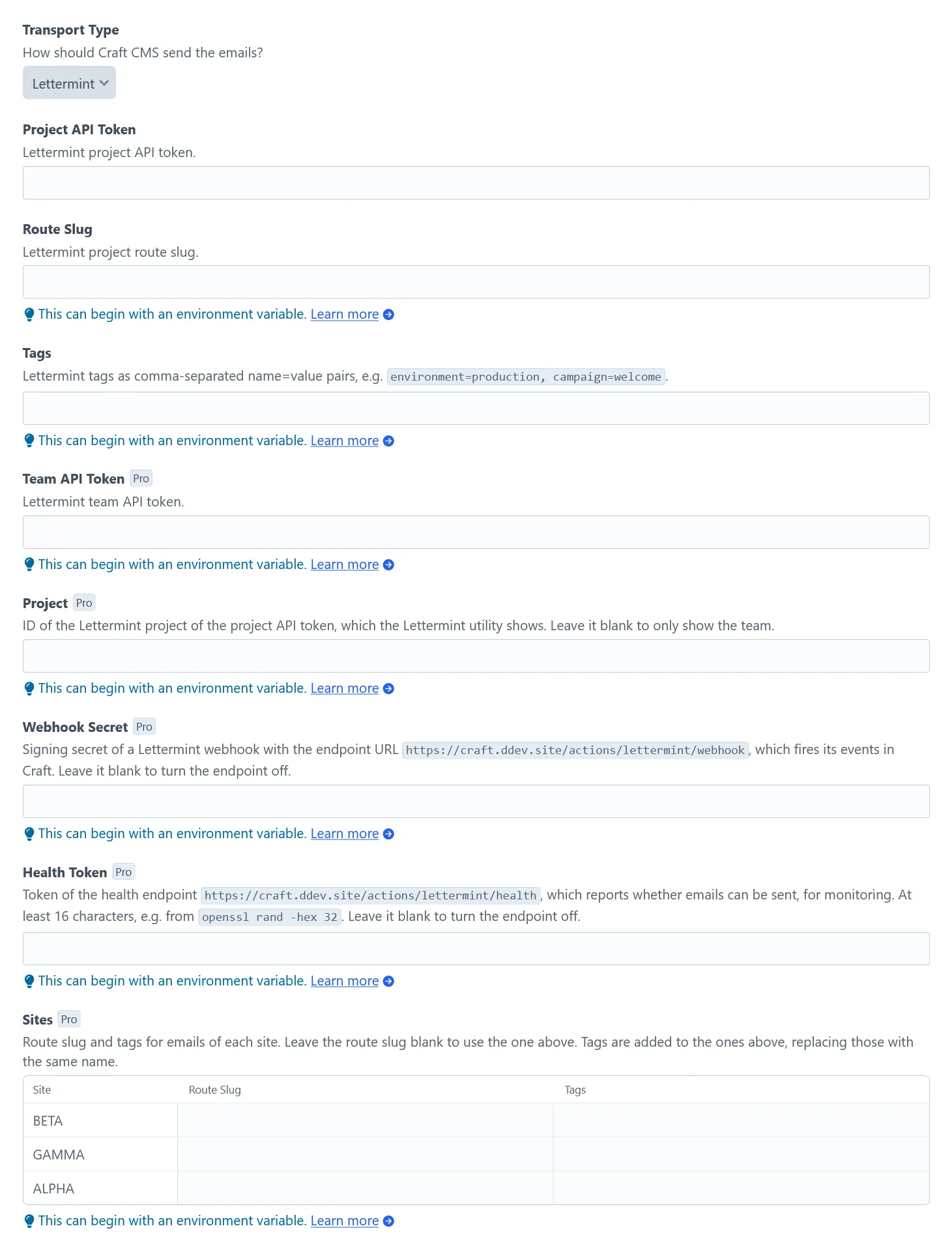
Standard settings
Section titled “Standard settings”| Setting | Required | Description |
|---|---|---|
| Project API Token | Yes | Found on your projects page under “API Token”. |
| Route Slug | A custom route. Leave blank for the default transactional route. | |
| Tags | Tags for all emails, e.g. environment=production, campaign=welcome. Use only letters, digits, _ and -. |
Pro settings
Section titled “Pro settings”With the Pro edition, more settings appear below the standard settings. All of them are optional, so turn on only what you need.
| Setting | What it does |
|---|---|
| Team API Token | Unlocks the Team API features. Team owners create it in the dashboard under Manage team → “API Tokens”. |
| Project | ID of the project your Project API Token belongs to. Needed for project details, statistics, domains and checks. |
| Webhook Secret | Turns on the webhook endpoint. |
| Health Token | Turns on the health endpoint. |
| Sites | Sets a route and tags per site. |